Official PyTorch implementation of EXE-GAN, publised on Neurocomputing.
[Homepage]
[paper]
[demo_youtube]
[demo_bilibili]


NOTE: This repo only uses a slightly modified version of the guided recovery. If you want all the other features please checkout the original repo
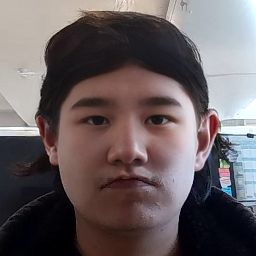
| Result (Not Real) | Real Image | Mask |
|---|---|---|
 |
 |
 |
YOU MUST HAVE CUDA INSTALLED NOTE: This project dependencies do not depend on me (mana-byte). If requirements.txt doesn't work you should checkout the original repo for troubleshooting. Using Nix in this case ensures that the project works on any machine as long as Nix is installed (if the machine can support CUDA).
cd EXE-GAN project

nix develop # Install it the nix way

# OR

pip install -r requirements.txt # Install it the python way. If you use this you will need to install the CUDA drivers by yourself
- Note that other versions of PyTorch (e.g., higher than 1.7) also work well, but you have to install the corresponding CUDA version.
- For editing images from the web, photos should be aligned by face landmarks and cropped to 256x256 by align_face.
(use our FFHQ_60k pre-trained model EXE_GAN_model.pt or trained *pt file by yourself.)
python guided_recovery.py --psp_checkpoint_path ./pre-train/psp_ffhq_encode.pt --ckpt ./checkpoint/EXE_GAN_model.pt --masked_dir ./imgs/exe_guided_recovery/mask --gt_dir ./imgs/exe_guided_recovery/target --exemplar_dir ./imgs/exe_guided_recovery/exemplar --sample_times 1 --video_output ./output.mp4 --eval_dir ./recover_out - masked_dir: mask input folder
- gt_dir: the input gt_dir, used for editing
- exemplar_dir: exemplar_dir, the exemplar dir, for guiding the editing
- eval_dir: output dir
- video_output: video output dir
Use Guided facial image recovery with VR HEADSET FILTER
- Install the two projects
- Use in the VR HEADSET FILTER
python main.py --action frames --source_video ./video/test.mp4 # With the video you want-
Gather all the frames from video_frames/mask and video_frames/target and move them into imgs/exe_guided_recovery/mask and imgs/exe_guided_recovery/target
-
Take a selfie/photo of the person's face that is present in the video and use align_face to align your face correctly
-
Place the aligned face into imgs/exe_guided_recovery/examplar and name it 1_exe.png
-
Finally use in the EXE-GAN (Don't forget to install this project weight EXE_GAN_model.pt):
python guided_recovery.py --psp_checkpoint_path ./pre-train/psp_ffhq_encode.pt --ckpt ./checkpoint/EXE_GAN_model.pt --masked_dir ./imgs/exe_guided_recovery/mask --gt_dir ./imgs/exe_guided_recovery/target --exemplar_dir ./imgs/exe_guided_recovery/exemplar --sample_times 1 --video_output ./output.mp4 --eval_dir ./recover_out - Watch the output video ./output.mp4