
Curate, Annotate, and Manage Your Data in LightlyStudio.





We at Lightly created LightlyStudio, an open-source tool designed to unify your data workflows from curation, annotation, model evaluation and management in a single tool. Since we're big fans of Rust we used it to speed things up. You can work with COCO and ImageNet on a Macbook Pro with M1 and 16GB of memory!
lightly_studio_overview.mp4
Runs on Python 3.9 to 3.14 on Windows, Linux and MacOS. We recommend Python 3.10 for the best compatibility with plugins such as SAM autolabeling.
pip install lightly-studio
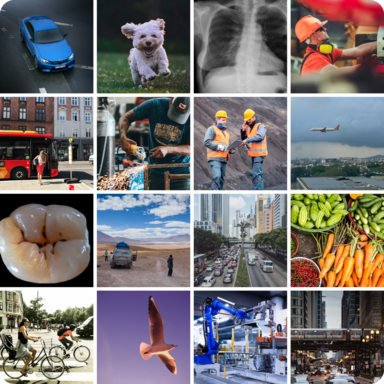
Image Dataset |
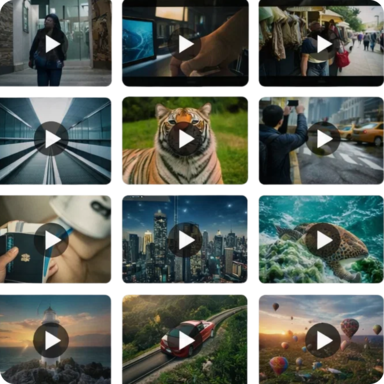
Video Dataset |
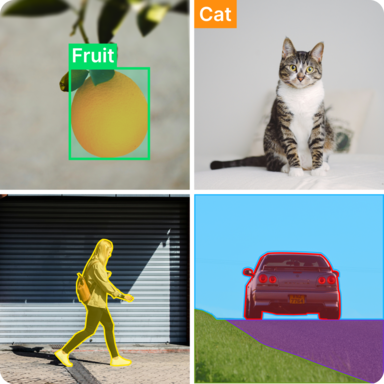
Annotation |

Curation |
Plugins |
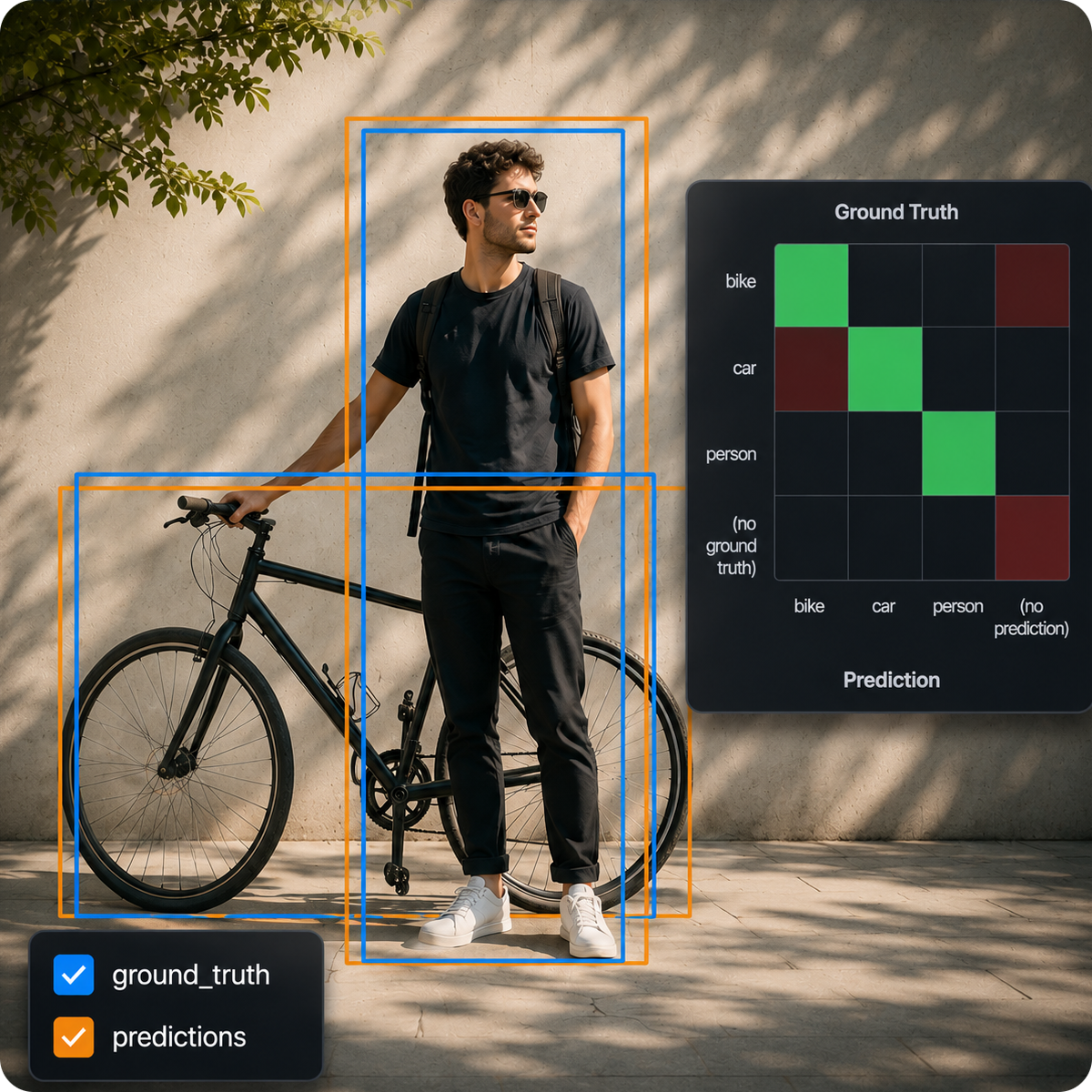
Model Evaluation |
LightlyStudio is a browser app that runs on your own computer. Use it in two simple steps:
- Load your data into the local database with a Python script.
- Start the server and explore the data in your browser.
Get started with one of these example workflows:
Evaluate object detection predictions on a COCO dataset
Create a file named example_coco_od_evaluation.py:
import lightly_studio as ls
from lightly_studio.core.dataset_query.image_sample_field import ImageSampleField
from lightly_studio.evaluation.image_dataset_evaluate import ObjectDetectionEvaluationConfig


# Download the example dataset (will be skipped if it already exists)
dataset_path = ls.utils.download_example_dataset(download_dir="dataset_examples")

images_path = f"{dataset_path}/coco_subset_128_images/images"
evaluation_config = ObjectDetectionEvaluationConfig(
    iou_threshold=0.5,
    classwise=True,
)

dataset = ls.ImageDataset.load_or_create()
dataset.add_images_from_path(path=images_path)
# Add ground truth annotations
dataset.add_annotations_from_coco(
    annotations_json=f"{dataset_path}/coco_subset_128_images/instances_train2017.json",
    images_root=images_path,
    annotation_source="ground_truth",
)
# Add predictions annotations
dataset.add_annotations_from_coco(
    annotations_json=f"{dataset_path}/coco_subset_128_images/predictions_train2017.json",
    images_root=images_path,
    annotation_source="predictions",
)
# Optional: tag a subset of samples to run the evaluation on.
dataset.query()[:10].add_tag("evaluated_samples")
# Create query for tagged samples
tagged_evaluation_query = dataset.query().match(ImageSampleField.tags.contains("evaluated_samples"))

dataset.evaluate(query=tagged_evaluation_query).object_detection(
    name="od_evaluation",
    gt_annotation_source="ground_truth",
    pred_annotation_source="predictions",
    config=evaluation_config,
)

ls.start_gui()
Index a COCO dataset
Create a file named example_coco.py:
import lightly_studio as ls

# Download the example dataset (will be skipped if it already exists)
dataset_path = ls.utils.download_example_dataset(download_dir="dataset_examples")

dataset = ls.ImageDataset.load_or_create()
dataset.add_samples_from_coco(
    annotations_json=f"{dataset_path}/coco_subset_128_images/instances_train2017.json",
    images_path=f"{dataset_path}/coco_subset_128_images/images",
)
# Optional: tag a subset of samples to filter them in the GUI.
dataset.query()[:10].add_tag("sample_subset")

ls.start_gui()
Run python example_coco.py and open the printed URL to inspect images with their annotations.
To import COCO segmentation masks instead of object detections, set:
annotation_type=ls.AnnotationType.SEGMENTATION_MASKIndex a YOLO dataset
Create a file named example_yolo.py:
import lightly_studio as ls

# Download the example dataset (will be skipped if it already exists)
dataset_path = ls.utils.download_example_dataset(download_dir="dataset_examples")

dataset = ls.ImageDataset.load_or_create()
dataset.add_samples_from_yolo(
    data_yaml=f"{dataset_path}/road_signs_yolo/data.yaml",
)

ls.start_gui()
Run python example_yolo.py and open the printed URL to inspect images with their annotations.
Working with notebooks
import lightly_studio as ls

dataset_path = ls.utils.download_example_dataset(download_dir="dataset_examples")
dataset = ls.ImageDataset.load_or_create()
dataset.add_images_from_path(path=f"{dataset_path}/coco_subset_128_images/images")

# Colab needs 0.0.0.0 to expose the port.
server = ls.start_gui_background(host="0.0.0.0")
Jupyter:
from IPython.display import IFrame, display

display(IFrame(server.url, width=1000, height=800))
Colab:
from google.colab import output

output.serve_kernel_port_as_iframe(server.port, width=1000, height=800)
Index a folder of images for curation and labeling
Create a file named example_image.py:
import lightly_studio as ls

# Download the example dataset (will be skipped if it already exists)
dataset_path = ls.utils.download_example_dataset(download_dir="dataset_examples")

# Index the images, create embeddings, and store everything in the local database.
dataset = ls.ImageDataset.load_or_create()
dataset.add_images_from_path(
    path=f"{dataset_path}/coco_subset_128_images/images",
)

# Start the UI server on localhost:8001.
# Pass `host` and `port` parameters to customize it.
ls.start_gui()
Run python example_image.py and open the printed URL in your browser.
Index a folder of videos for curation and labeling
import lightly_studio as ls

dataset_path = ls.utils.download_example_dataset(download_dir="dataset_examples")

dataset = ls.VideoDataset.load_or_create()
dataset.add_videos_from_path(path=f"{dataset_path}/youtube_vis_50_videos/train/videos")

ls.start_gui()LightlyStudio has a powerful Python interface. You can not only index datasets but also query and manipulate them using code.
To load images or videos directly from a cloud storage provider (like AWS S3, GCS, etc.), you must first install the required dependencies:
pip install "lightly-studio[cloud-storage]"This installs the necessary libraries: s3fs (for S3), gcsfs (for GCS), and adlfs (for Azure). Our tool uses the fsspec library, which also supports other file systems. If you need a different provider (like FTP, SSH, etc.), you can find the required library in the fsspec documentation and install it manually (e.g., pip install sftpfs).
Current Support Limitations for Annotations: Cloud-hosted annotations are currently supported for COCO object detection and segmentation mask; other dataset importers still expect local files.
The dataset is the main entity of the python interface. It is used to setup the dataset, start the GUI, run queries and perform sampling. It holds the connection to the database file.
import lightly_studio as ls

# Different loading options:
dataset = ls.ImageDataset.create()

# You can load data also from cloud storage
dataset.add_images_from_path(path="s3://my-bucket/path/to/images/")

# And at any given time you can append more data (even across sources)
dataset.add_images_from_path(path="gcs://my-bucket-2/path/to/more-images/")
dataset.add_images_from_path(path="local-folder/some-data-not-in-the-cloud-yet")

# Load existing .db file
dataset = ls.ImageDataset.load()Datasets persist in a DuckDB file (lightly_studio.db by default). All tags, annotations, captions, metadata, and embeddings are saved, so you can stop and resume anytime. Use Dataset.load_or_create to reopen existing datasets:
import lightly_studio as ls

dataset = ls.ImageDataset.load_or_create(name="my-dataset")

# Only new samples are added by `add_images_from_path`
for image_dir in IMAGE_DIRS:
    dataset.add_images_from_path(path=image_dir)

ls.start_gui()
Notes:
- The first time you run this script a new db is created and the data indexed
- If you add more images to the folder only the new data is indexed
- All annotations, tags, and metadata persist across sessions as long as the
lightly_studio.dbfile in the working dir exists.
To use a different database file, initialize the database manager before creating datasets:
import lightly_studio as ls

ls.db_manager.connect(db_file="lightly_studio.db")
dataset = ls.ImageDataset.load_or_create(name=DATASET_NAME)A sample is a single data instance, a dataset holds the reference to all samples. One can access samples individually and read or write on a samples attributes.
from lightly_studio.core.annotation.object_detection import ObjectDetectionAnnotation

# Iterating over the data in the dataset
for sample in dataset:
   # Access the sample: see next section

# Get all samples as list
samples = list(dataset)

# Access sample attributes
s = samples[0]
s.sample_id        # Sample ID (UUID)
s.file_name        # Image file name (str), e.g. "img1.png"
s.file_path_abs    # Full image file path (str), e.g. "full/path/img1.png"
s.tags             # The set of sample tags (set[str]), e.g. {"tag1", "tag2"}
s.metadata["key"]  # dict-like access for metadata (any)

# Set sample attributes
s.tags = {"tag1", "tag2"}
s.metadata["key"] = 123

# Adding/removing tags
s.add_tag("some_tag")
s.remove_tag("some_tag")

# Access annotations
for annotation in sample.annotations:
    if isinstance(annotation, ObjectDetectionAnnotation):
        print(annotation.x, annotation.y, annotation.width, annotation.height)
...
Dataset queries are a combination of filtering, sorting and slicing operations. For this the Expressions are used.
from lightly_studio.core.dataset_query import AND, OR, NOT, OrderByField, ImageSampleField

# QUERY: Define a lazy query, composed by: match, order_by, slice
# match: Find all samples that need labeling plus small samples (< 500px) that haven't been reviewed.
query = dataset.match(
    OR(
        AND(
            ImageSampleField.width < 500,
            NOT(ImageSampleField.tags.contains("reviewed"))
        ),
        ImageSampleField.tags.contains("needs-labeling")
    )
)

# order_by: Sort the samples by their width descending.
query.order_by(
    OrderByField(ImageSampleField.width).desc()
)

# slice: Extract a slice of samples.
query[10:20]

# chaining: The query can also be constructed in chained way
query = dataset.match(...).order_by(...)[...]

# Ways to consume the query
# Tag this subset for easy filtering in the UI.
query.add_tag("needs-review")

# Iterate over resulting samples
for sample in query:
    # Access the sample: see previous section

# Collect all resulting samples as list
samples = query.to_list()

# Export all resulting samples in coco format
dataset.export(query).to_coco_object_detections()
Sampling the right subset of your data can save labeling cost and training time while improving model quality. Sampling in LightlyStudio automatically picks the most useful samples - those that are both representative (typical) and diverse (novel).
You can mix and match these strategies to fit your goal: stable core data, edge cases, or fixing class imbalances.
from lightly_studio.sampling.sampling_config import (
    MetadataWeightingStrategy,
    EmbeddingDiversityStrategy,
    AnnotationClassBalancingStrategy,
)

...

# Compute typicality and store it as `typicality` metadata
dataset.compute_typicality_metadata(metadata_name="typicality")

# Select 10 samples by combining typicality, diversity, and class balancing.
dataset.query().sampling().multi_strategies(
    n_samples_to_select=10,
    sampling_result_tag_name="multi_strategy_sampling",
    sampling_strategies=[
        MetadataWeightingStrategy(metadata_key="typicality", strength=1.0),
        EmbeddingDiversityStrategy(embedding_model_name="my_model_name", strength=2.0),
        AnnotationClassBalancingStrategy(target_distribution="uniform", strength=1.0),
    ],
)We welcome contributions! Please check our issues page for current tasks and improvements, or propose new issues yourself.





