
Japanese dictionary, translator, and Anki integration for Vicinae
Search Jotoba for words, kanji, and sentences. Translate on the fly. Add cards to Anki with one click. All inside your launcher.
| Section |
Description |
| Word Search |
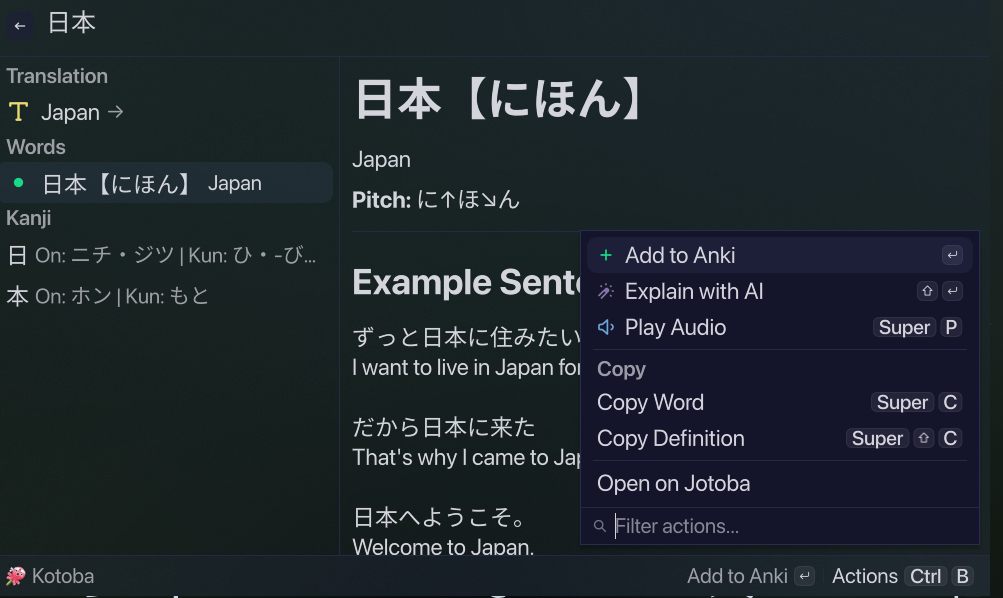
Look up any Japanese word — get definitions, readings, pitch accent, part-of-speech, and example sentences |
| Kanji Analysis |
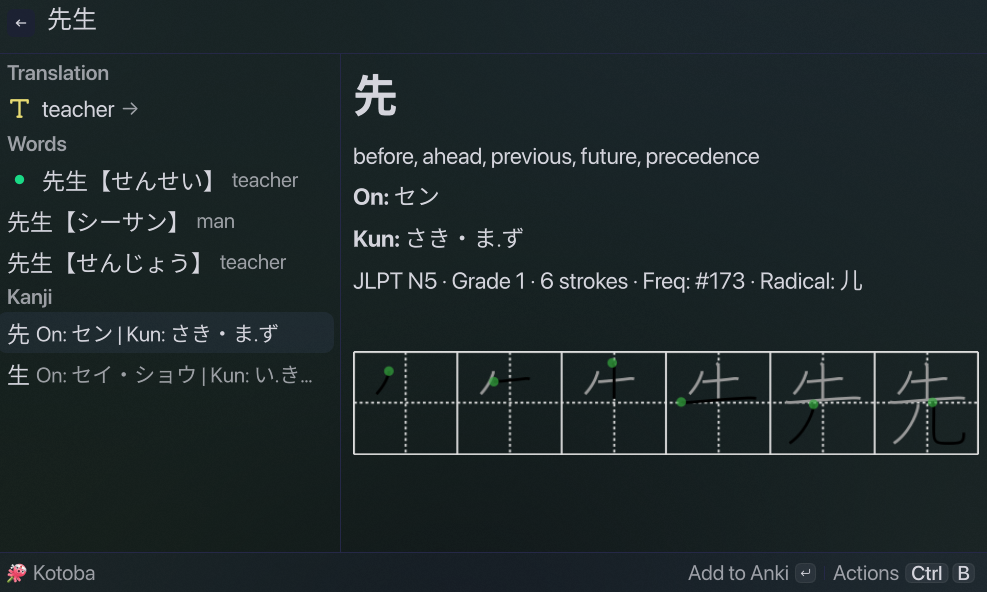
Stroke order diagrams, JLPT level, grade, frequency, radical decomposition, and on'yomi/kun'yomi readings |
| Translation |
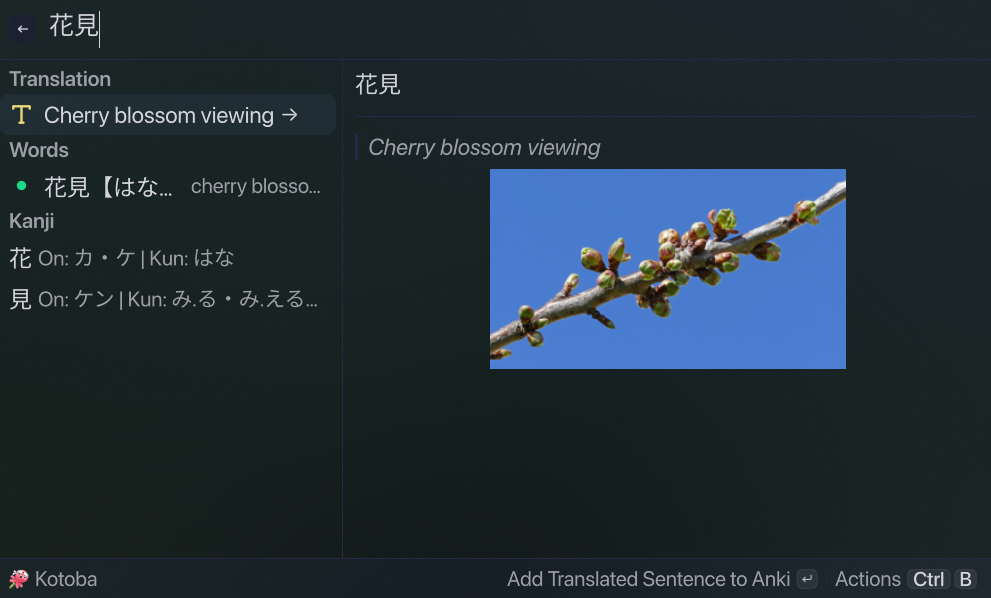
Google Translate integration for instant Japanese → your language translations |
| AI Explanations |
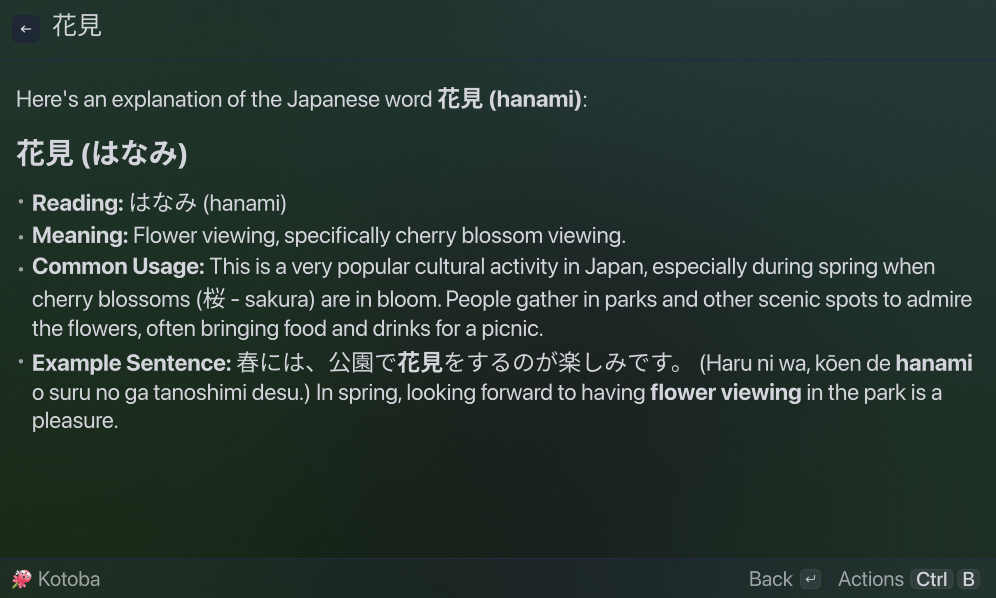
Gemini-powered explanations for words, kanji, and phrases — customize the language and model |
| Anki Export |
One-click card creation (⌘A) with per-deck duplicate detection. Uses Anki's built-in Basic model |
| Text-to-Speech |
ElevenLabs multilingual TTS — hear Japanese pronunciation with a single keystroke (⌘P) |
| Clipboard |
Auto-loads selected text on launch; copy word, reading, or definition with keyboard shortcuts |
 |
 |
| Word results with meanings, readings, and pitch accent |
Kanji detail with stroke order diagram, JLPT level, and radicals |
 |
 |
| Instant translation with contextual furigana support |
Gemini AI explains words and kanji in your language |
 |
 |
 |
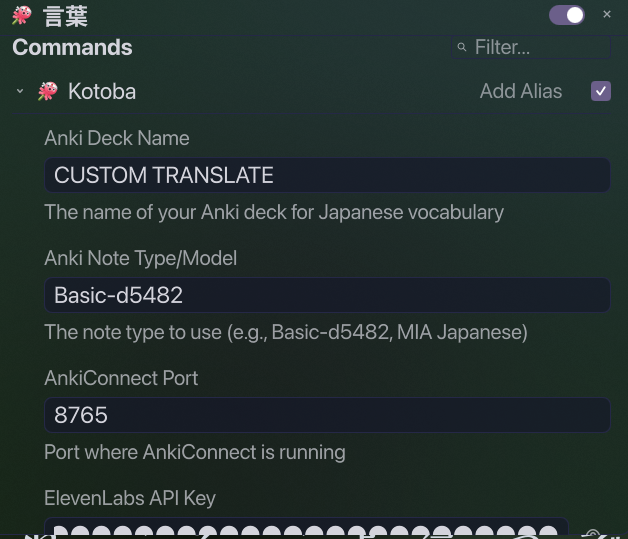
| General & Anki settings |
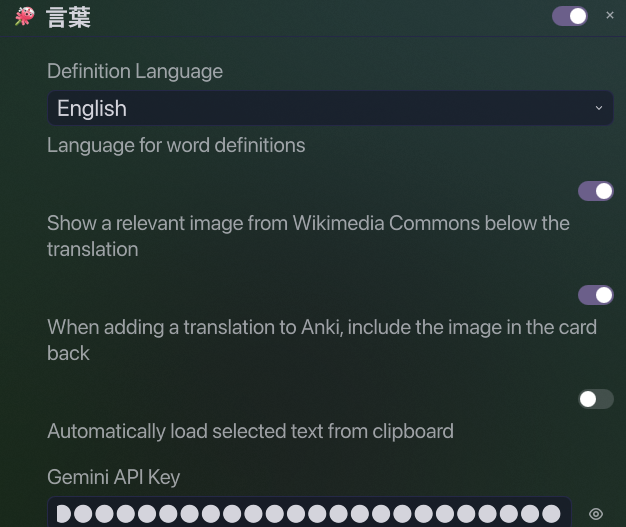
TTS & Translation settings |
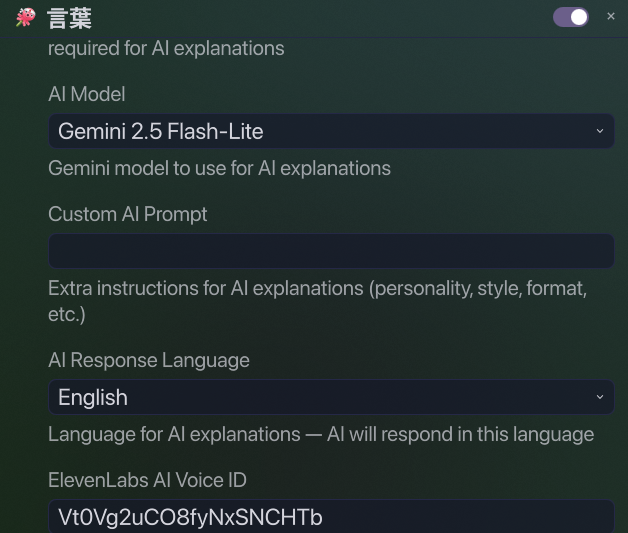
AI & advanced settings |
# Clone
git clone https://github.com/kurojs/vicinae-jotoba-anki.git
cd vicinae-jotoba-anki

# Install dependencies
npm install

# Build and install into Vicinae
npm run build
The extension is automatically installed to ~/.local/share/vicinae/extensions/kotoba/. No server restart needed.
| Dependency |
Required |
Notes |
| Vicinae |
✅ Yes |
Launcher. Install via yay -S vicinae-bin or from GitHub releases |
| Anki + AnkiConnect |
Optional |
For Anki export features. AnkiConnect plugin code: 2055492159 |
| ElevenLabs API key |
Optional |
For text-to-speech. Get a free API key at elevenlabs.io |
ffplay (ffmpeg) or mpv |
Optional |
For audio playback: sudo pacman -S ffmpeg or sudo pacman -S mpv |
| Gemini API key |
Optional |
For AI-powered explanations. Free tier available |
# Check if extension is installed
ls ~/.local/share/vicinae/extensions/kotoba/

# Test AnkiConnect (if using Anki)
curl -X POST http://localhost:8765 \
  -H "Content-Type: application/json" \
  -d '{"action": "version", "version": 6}'
# Expected: {"result": 6, "error": null}
Access preferences through Vicinae's extension settings panel (Extensions → Kotoba → Preferences).
| Setting |
Default |
What it does |
| Definition Language |
Spanish |
Language for Jotoba definitions (English, Spanish, German, French, Russian, Swedish, Dutch, Hungarian, Slovenian) |
| Auto-load Text |
true |
Automatically load selected/clipboard text when Kotoba opens |
| Setting |
Default |
What it does |
| AnkiConnect Port |
8765 |
Local port for AnkiConnect API |
| Setting |
Default |
What it does |
| ElevenLabs API Key |
— |
Your API key for TTS. Get one at elevenlabs.io |
| ElevenLabs Voice ID |
21m00Tcm4TlvDq8ikWAM |
Voice for word pronunciation (default: Rachel). Use a Japanese voice for best results |
| Setting |
Default |
What it does |
| Gemini API Key |
— |
API key from Google AI Studio. Required for AI features |
| AI Model |
gemini-2.5-flash |
Gemini model. 15 models available including Pro and Flash variants |
| AI Response Language |
Spanish |
Language for AI explanations. 21 languages supported |
| Custom AI Prompt |
— |
Extra instructions for the AI (personality, format, focus areas) |
| AI Voice ID |
21m00Tcm4TlvDq8ikWAM |
ElevenLabs voice for reading AI responses aloud |
| Show Furigana |
false |
Adds furigana readings above translations — uses local kuroshiro+kuromoji |
| Shortcut |
Action |
⌘A |
Add current item to Anki |
⌘P |
Play audio pronunciation |
Tab |
Explain with AI |
⌘C |
Copy word/kanji to clipboard |
⌘⇧C |
Copy definition/meanings |
- Launch Vicinae and search for "Kotoba"
- Type a Japanese word, kanji, or phrase
- Translation section appears at the top if Google Translate has results
- Words and Kanji sections show Jotoba dictionary results
- Select any result to see full details
⌘A to add to Anki, ⌘P to hear pronunciation, Tab for AI explanation
- AI language: Set the "AI Response Language" independently from "Definition Language" — get definitions in Spanish and AI explanations in English, or vice versa.
- Furigana: Enable "Show Furigana" in settings. Readings are generated locally using kuroshiro+kuromoji — no API key needed.
- TTS voice: Use a native Japanese ElevenLabs voice for best pronunciation results.
                    ┌─────────────────────────────────────┐
                    │          Vicinae Launcher            │
                    │  ┌───────────────────────────────┐   │
                    │  │          Kotoba (TSX)          │   │
                    │  │  ┌─────┐ ┌──────┐ ┌────────┐  │   │
                    │  │  │Search│→│Detail│→│Actions │  │   │
                    │  │  └──┬──┘ └──┬───┘ └────┬───┘  │   │
                    │  │     │       │          │       │   │
                    │  │     ▼       ▼          ▼       │   │
                    │  │   ┌─────────────────────────┐  │   │
                    │  │   │       API Layer          │  │   │
                     │  │   │ Jotoba · Google · Gemini │  │   │
                     │  │   │   ElevenLabs             │  │   │
                    │  │   └─────────────────────────┘  │   │
                    └─────────────────────────────────────┘
- Search → 500ms debounce → parallel Jotoba lookups (words + kanji) + Google Translate
- Display → Results in sections (Translation, Words, Kanji) with inline markdown
- Detail → Lazy sentence fetching from Jotoba/Tatoeba corpus
- Anki → 3 auto-created decks (Kotoba Words/Kanji/Translation) with per-deck dedup → card created using Basic model
- Audio → ElevenLabs multilingual TTS → temp MP3 → system player (ffplay/mpv)
- AI → Gemini-powered explanations for any word, kanji, or phrase
- Single-file architecture: ~1500 lines of TSX in one file. Separation through function boundaries.
- No build-time framework: Uses Vicinae's
vici bundler. Just TypeScript + fetch.
- Section-based decks: 3 flat decks (Kotoba Words/Kanji/Translation) — no user configuration needed
- Lazy loading: Example sentences fetched on-demand when selecting a word.
- In-memory API caching: Furigana and AI explanation results cached for 1 hour per session.
Ensure Anki is running and AnkiConnect is installed (plugin code 2055492159).
curl -X POST http://localhost:8765 \
  -H "Content-Type: application/json" \
-d '{"action": "version", "version": 6}'sudo pacman -S ffmpeg # provides ffplay
# or
sudo pacman -S mpv
vicinae server # Restart the Vicinae server
kotoba/
├── assets/
│   └── icon.png          # Extension icon (256×256)
├── src/
│   └── kotoba.tsx         # Main source — full extension logic
├── package.json           # Dependencies, metadata, preferences schema
├── tsconfig.json          # TypeScript configuration
└── README.md              # This file
npm run build     # Production build → ~/.local/share/vicinae/extensions/kotoba/
npm run dev       # Watch mode with hot-rebuild
npx tsc            # TypeScript type check
npm run build      # Full build
MIT — see LICENSE.


