
Stop messing around with registry files and batch scripts. Windows Tweaks GUI brings all those performance optimizations into a clean, easy-to-use interface. Designed to cut latency and stabilize your FPS without the headache.
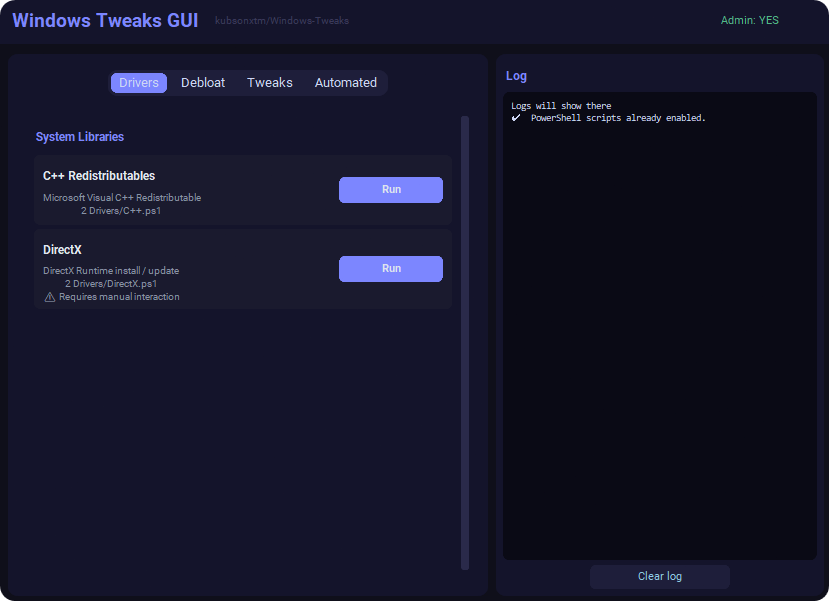
I’ve been refining these tweaks for years to keep my system lean and mean for gaming. This project packs all those registry edits, services adjustments, and system commands into a single GUI. Whether you're trying to fix input lag or just want a snappier Windows 10/11 experience, this handles the heavy lifting for you.
- One-Click Tweaks: No more searching through menus. Toggle optimizations on/off instantly.
- Latency Focused: Specifically tuned to minimize network and input lag.
- Streamlined UI: This GUI manages the Windows-Tweaks repository for you—instead of running files manually, the program handles the download and execution of my curated tweaks directly.
- OS: Windows 10/11 Pro (fresh install recommended).
- Permissions: Needs Admin privileges to actually apply the registry/system changes.
- Internet: Required to fetch the latest tweaks/updates.
Since this interacts with low-level system settings, Windows Defender or other AVs might flag this as a false positive. This is normal for system-level tools. Everything here is open-source, so feel free to audit the code if you’re unsure.
Use at your own risk. I built this for myself, and it works perfectly on my machine, but I’m not responsible if you break your OS settings. Always create a System Restore point before you start tweaking.