Akse — a 3D modelling tool for kids and beginners (akse3d.no / akse3d.com).
Primitive-based 3D modelling (box, cylinder, sphere, … + boolean holes), a 2D blueprint editor and freehand drawing, with STL export for 3D printing. Built on Svelte 5, Three.js and three-bvh-csg. The package is backend-agnostic: it loads/saves data through ports that the host implements.
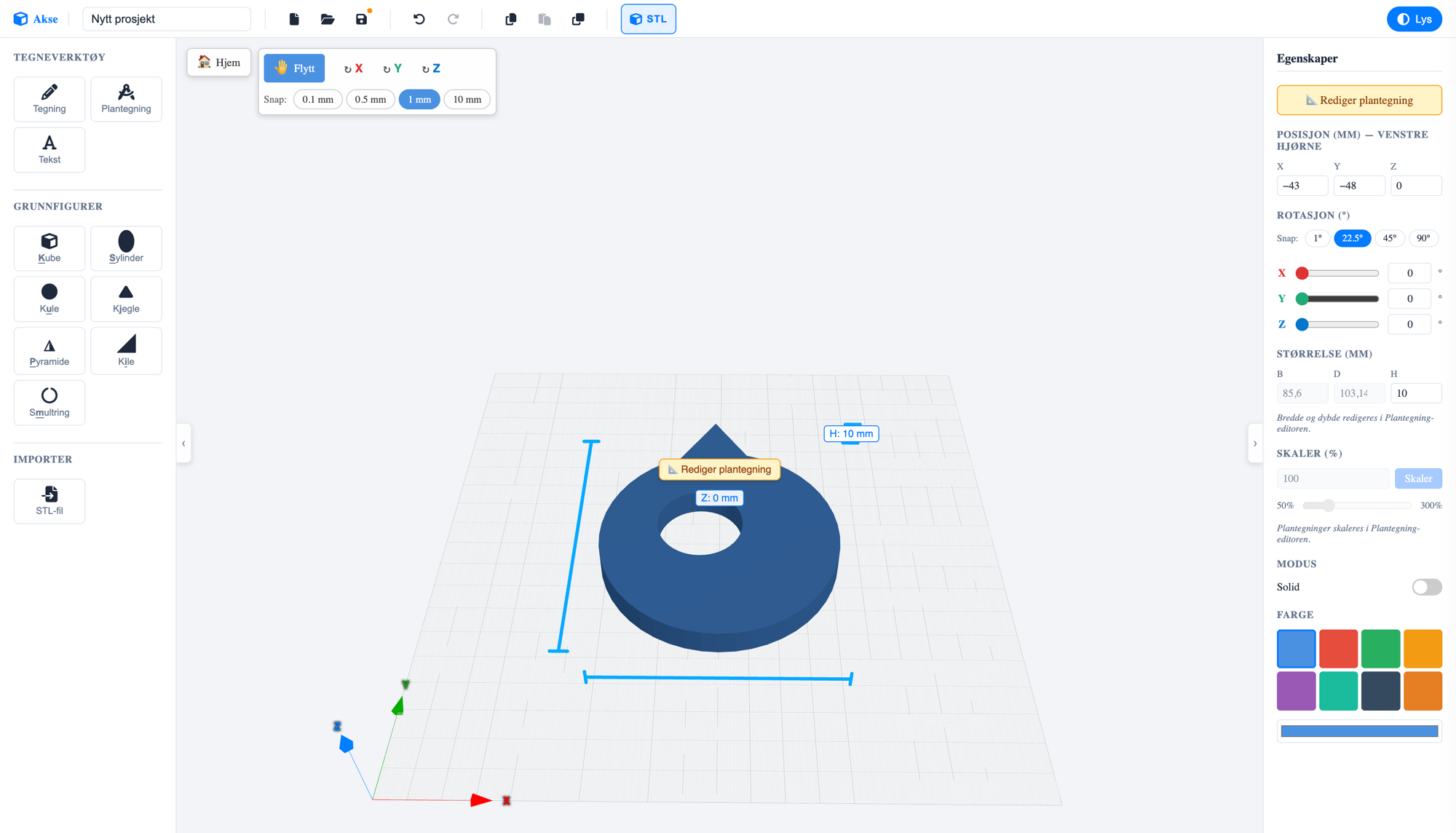
The 3D editor: build with primitive shapes and boolean holes, measured in real millimetres.
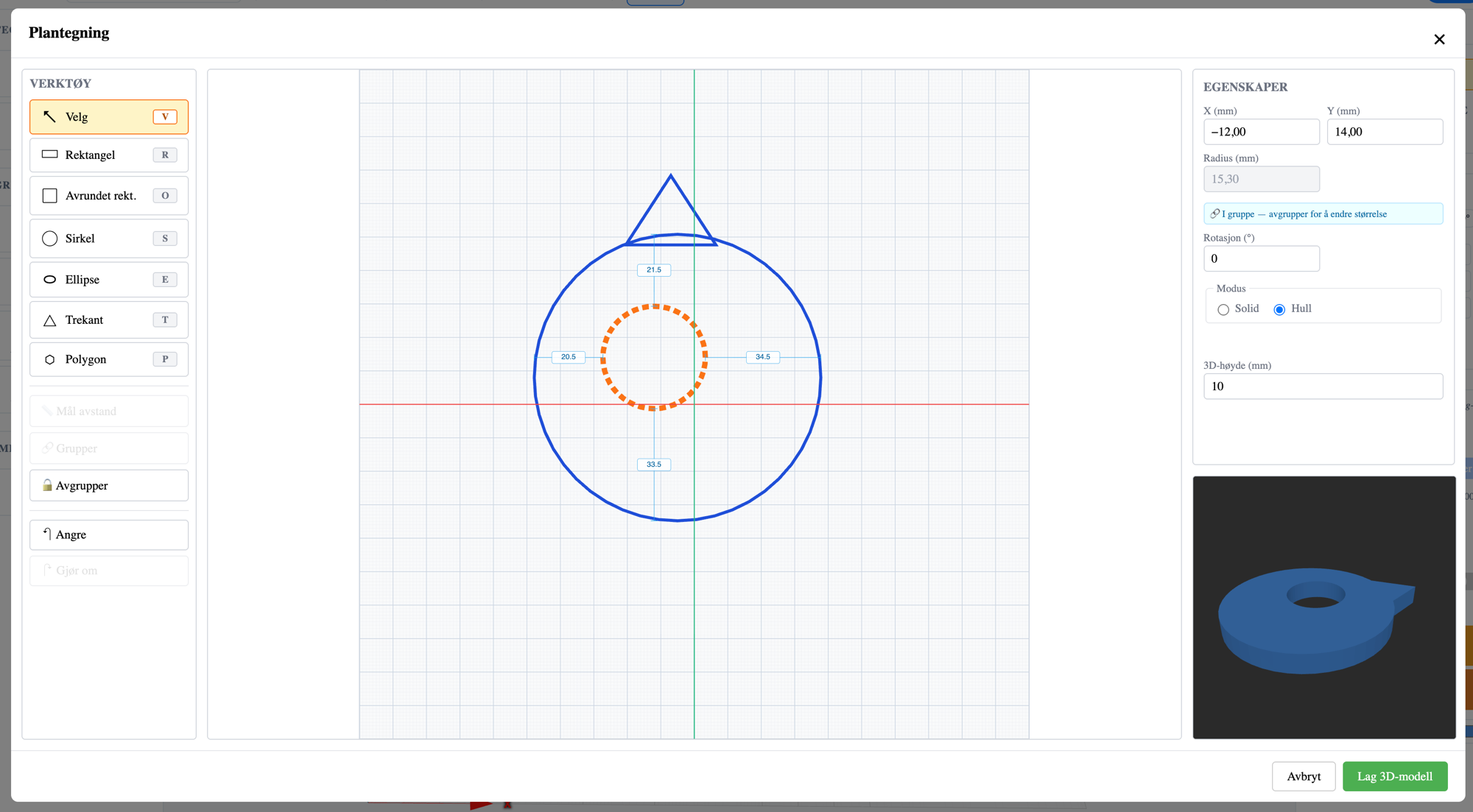
The Blueprint editor: draw a 2D outline and lift it into a 3D model with one click.
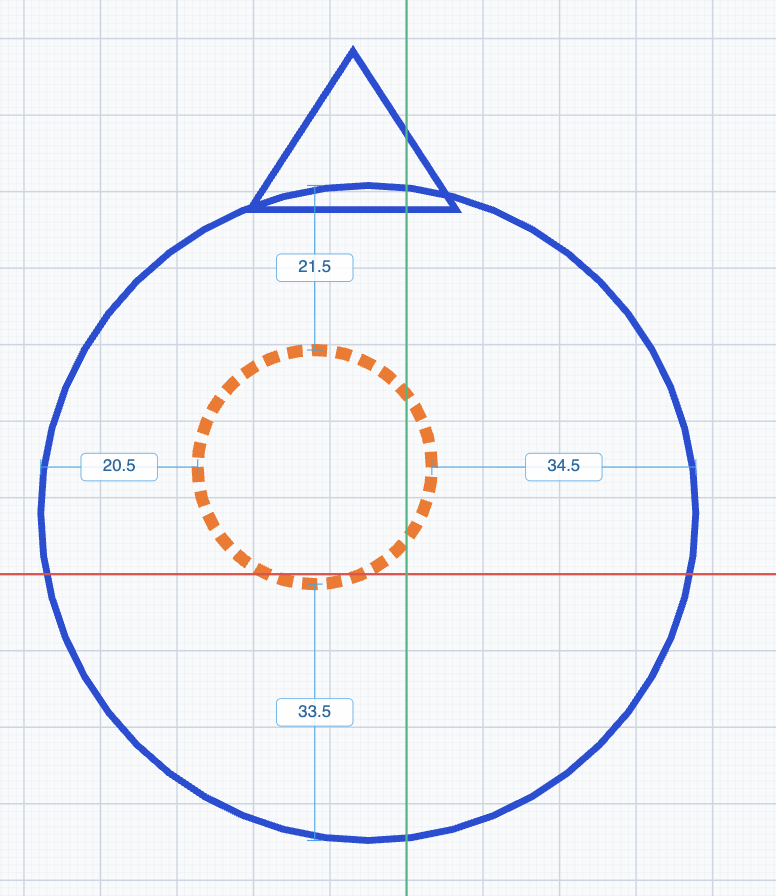
Editable distance guides between grouped shapes.
<script>
  import { Akse } from '@skaperiet/akse';
  import '@skaperiet/akse/akse-theme.css'; // optional — the host can define the CSS variables itself
</script>

<Akse {storage} {session} fontUrl="/fonts/inter-regular.ttf" />| Prop | Type | Description |
|---|---|---|
storage |
AkseStoragePort |
Persistence: load/create/update/list/remove. Required. |
session |
AkseSession |
{ user, authenticated }. Pass a reactive value for live updates. Required. |
initialProject |
AkseProject | null |
Preloaded project (e.g. a shared link). Optional. |
requestedId |
string | null |
Id anchor from the URL for a new project. Optional. |
onProjectIdChange |
(id: string) => void |
Called when the project id changes (host syncs the URL). Optional. |
fontUrl |
string |
URL to a .ttf/.otf font for 3D text. Default /fonts/inter-regular.ttf. |
loadError |
string | null |
Show an error banner (e.g. from a host-side load). Optional. |
maxStlTriangles |
number |
Hard limit for STL import. Default 500000 (standalone). Mesh is stored in the project JSON (~48 B/triangle), so cloud hosts should set it lower — skaperiet.no uses 100000. |
guide |
AkseGuide | null |
Interactive step-by-step guide, shown as a bubble in the bottom right. Optional. |
onGuideClose |
() => void |
Called when the user closes the guide (the host typically resets guide). Optional. |
locale |
'no' | 'en' |
Initial language. Default 'no'. The user's choice in the UI toggle is remembered in localStorage and wins over this. Optional. See Internationalization. |
texts |
Partial<AkseTexts> |
Override individual UI strings; merged over the active language dictionary. Optional. |
Same pattern as the Blockuino/Vektor guides in skaperiet-ny-front: the host owns
the guide data (e.g. from a backend) and passes it in as a prop. Each step has a
title, markdown body, an optional image and a validator — 'info' steps are
confirmed manually (“Got it, continue”), the rest are checked automatically
against the project's shapes as the user works:
import type { AkseGuide } from '@skaperiet/akse';

const guide: AkseGuide = {
  id: 'keyfob',
  name: 'Make a key fob',
  steps: [
    { id: 's1', title: 'Welcome!', bodyMarkdown: 'We are making a **key fob**.',
      validator: { type: 'info' } },
    { id: 's2', title: 'Add a torus',
      validator: { type: 'hasShapeKind', kind: 'torus' } },
    { id: 's3', title: 'Make a hole',
      validator: { type: 'hasHole' } },
  ],
};
Validators: info, hasShapeKind (kind + optional minCount/mode),
shapeCount, shapeSize (W/D/H within min/max — for concrete measurements),
hasHole, holeOverlapsSolid (a hole overlaps a solid shape, optional
sameGroup), shapesOverlap (two shape types overlap — e.g. text on a sign),
hasGroup (optional withHole: true requires a group with both a hole and a
solid), hasColor, plus the sketch validators sketchFigure (shape
type/mode/size in a blueprint) and sketchExtrudeHeight (3D height). The sketch
validators are checked live while the Blueprint editor is open (the guide
bubble sits over the modal and can be minimized with –). Write steps concretely
(exact measurements and placement) and use validators that check the result —
then the user can't get a green check without the model actually being correct.
The dev preview has two demo guides: /?guide (key fob tag, basic shapes) and
/?guide=navneskilt (Blueprint + 3D text). Completed steps are remembered in
localStorage per guide id (only info steps are restored — validator steps are
re-evaluated against the project). Try the demo with npm run dev → /?guide.
interface AkseStoragePort {
  load(id: string): Promise<AkseProject | null>;
  create(project: AkseProject): Promise<AkseProject>;
  update(id: string, project: AkseProject): Promise<AkseProject>;
  list(): Promise<AkseProjectSummary[]>;
  remove(id: string): Promise<void>;
}
interface AkseSession {
  readonly user: string | null;
  readonly authenticated: boolean;
}
AkseProject.shapes is a real array and createdDate/lastUsedDate are ISO strings.
Backend-specific serialization (e.g. JSON columns) belongs in the host adapter, not here.
Akse ships with two built-in languages: Norwegian (no, default) and English
(en). A NO/EN toggle in the top bar lets the user switch language live, and the
choice is remembered in localStorage (key akse-locale) per origin. All UI text
— buttons, tooltips, shape names, modals and the guide bubble — switches at once.
<script>
  import { Akse } from '@skaperiet/akse';
</script>

<!-- Start in English; the user can still switch in the UI -->
<Akse {storage} {session} locale="en" />localeprop ('no' | 'en') sets the initial language. A stored choice inlocalStoragewins over the prop on later visits. The standalone app on akse3d.com setslocale="en"; a Norwegian host (skaperiet.no) leaves it on the default'no'.textsprop (Partial<AkseTexts>) overrides individual strings, merged over the active language dictionary — handy for your own branding:Note that an override is language-neutral: if you set an English string, it also shows when the user switches to Norwegian. If you need language-dependent overrides, pass<Akse {storage} {session} texts={{ cloudOpenTitle: 'Open from MyApp' }} />
textsbased onlocalefrom your own i18n.
The package exports the dictionaries and types if you want to build your own overrides or inspect the keys:
import type { AkseTexts, AkseLocale } from '@skaperiet/akse';
import { NB_TEXTS, EN_TEXTS } from '@skaperiet/akse';
AkseTexts has one key per UI string; interpolated strings use {token}
placeholders (e.g. 'Step {current} of {total}'). NB_TEXTS and EN_TEXTS have
identical key sets.
- Svelte 5, three 0.171, three-bvh-csg —
peerDependencies. These MUST be shared with the host (a single three instance) — otherwise raycasting/CSG breaks. In the host vite config:resolve.dedupe = ['three', 'three-bvh-csg', 'svelte']. - FontAwesome 6 loaded globally (icon classes
fa-solid …). - A font at
fontUrl(default/fonts/inter-regular.ttf). The package bundles Inter Regular understatic/fonts/as a reference.
npm install
npm run dev          # isolated preview with a localStorage adapter (http://localhost:5173)
npm run check        # svelte-check
npm run package      # build dist/ (svelte-package + publint)
npm run guidebilder  # regenerate the demo guide's instruction images (static/guide/)
guidebilder builds the key fob tag step by step in a real Akse session (headless
Chrome via CDP) and screenshots after each step — run it when the UI has changed
appearance. Requires Node ≥ 22 and Chrome (override the path with CHROME_BIN).
cd akse && npm link
cd ../skaperiet-ny-front && npm link @skaperiet/akse
# host vite.config: resolve.dedupe = ['three','three-bvh-csg','svelte']
#                   optimizeDeps.exclude = ['@skaperiet/akse']
After changes to the package: run npm run package again, and the host picks up the new dist/.
Akse is made by Skaperiet — a maker space for kids and teens, run by Joachim Haagen Skeie. Skaperiet combines traditional craft with modern technology through courses, holiday programs and workshops, and builds Norwegian-language software and teaching material tailored to schools.
At skaperiet.no you'll find online courses, sign-up for maker-space workshops, a web shop and a range of free tools and programs for creative learning — Akse is one of them.
Akse is dual-licensed:
- AGPL-3.0 — free software. Free for any use, including commercial, as long as you meet the license terms. Note that the AGPL also applies to use over a network: if you build Akse into a web service, the service's complete source code must be made available to its users under the AGPL-3.0.
- Commercial license — for those who want to use Akse in closed products, SaaS services or platforms without sharing their source code. Contact Skaperiet: joachim@skaperiet.no.
The name “Akse”, the logo and the domains akse3d.no/akse3d.com are property of Skaperiet and Joachim Haagen Skeie and are not covered by the AGPL license.
Contributions are welcome but require a signed CLA — see CONTRIBUTING.md.