Repository navigation
DOCX: a continuous section's first paragraph loses its w:before when it overflows to the top of the next page #2255
Description

Problem
When a continuous section's first paragraph does not fit on the current page and moves to the next one, Word keeps its w:before at the top of that page. office2pdf drops it: Typst discards a block's leading above spacing at a region start, so the paragraph sits on the top margin's first baseline.
Measurements
Public synthetic input and Microsoft Word reference: docxide-pdf cont-first-text-overflow at adb8c2b8 (Apache-2.0; pdfinfo Creator: Microsoft Word, 2 pages). mutool draw -F stext baselines, points from the page top.
Source: filler paragraphs with exact 16pt lines (Times New Roman 14pt) fill page 1. An empty paragraph carrying w:framePr and the section's w:sectPr follows, then the continuous section's Continued text with w:spacing w:before="480" (24pt) and an exact 16pt line, which no longer fits on page 1.
| Anchor | Word | office2pdf (main f6b4bbd2 and #2161 branch) |
|---|---|---|
Page 2 Continued text baseline |
108.78 | 84.97 |
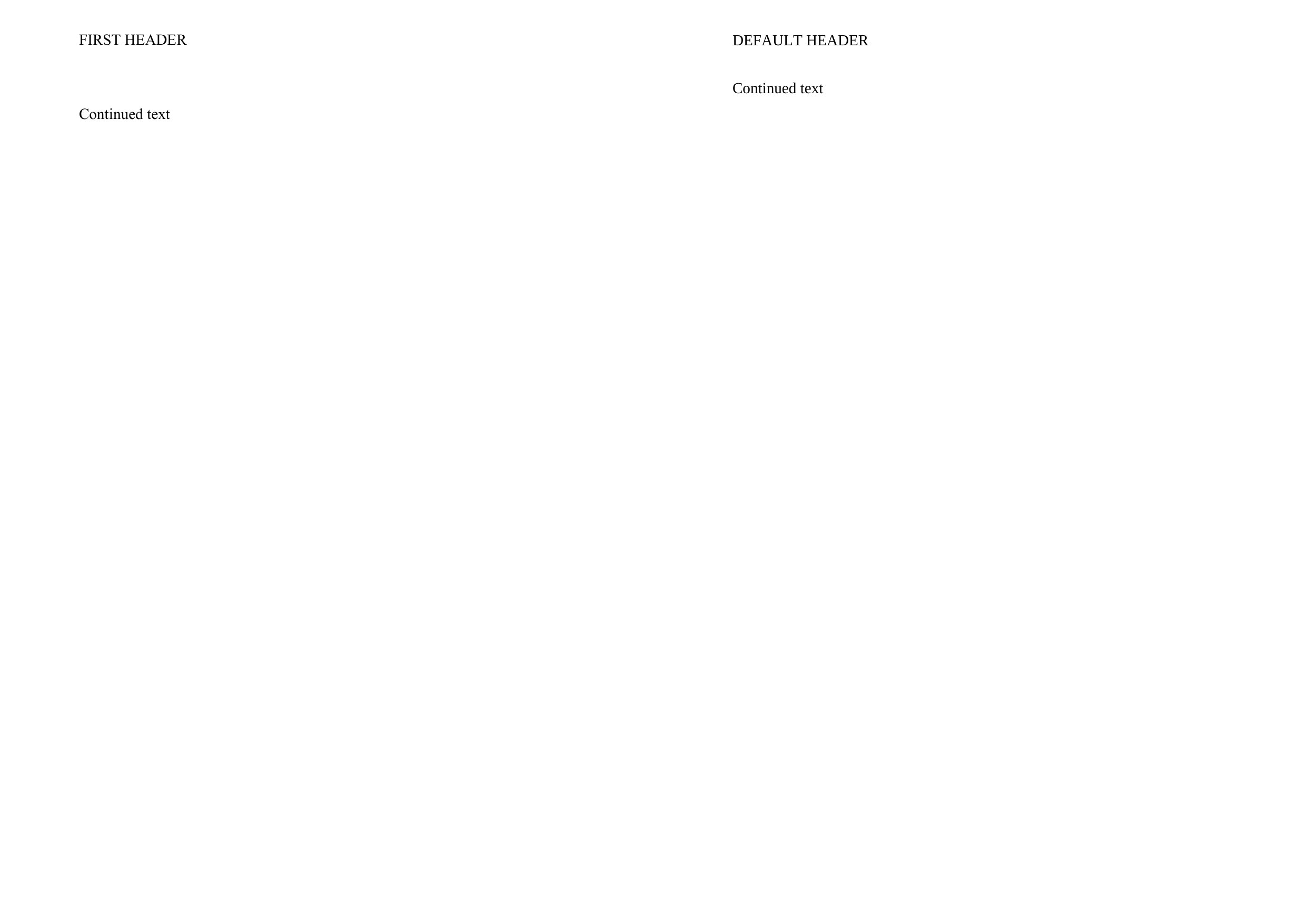
Word's first-line baseline on a page is 84.78pt (page 1's Line 1 in the same package), so Word's 108.78pt is that baseline plus the full 24pt before. office2pdf's 84.97pt has none of it. The #2161 fix keeps a stated before at a continuous section start on the same page, but the gap is still dropped when the paragraph starts a new page.
This reference shows the rule only for a continuous section's first paragraph pushed to a new page. Whether Word keeps w:before at the top of every naturally broken page needs its own probe before this is generalised.
Expected
The continuous section's first paragraph keeps its w:before at the top of the page it moves to, as Word draws it.
Compare (Word page 2 left, office2pdf right, 150 DPI; the header difference in it is a separate issue): from #2256.
Related: #2161
Activity
developer0hye commentedon Oct 21, 2026
Resolved by #2424, merged as 36edc34. CI on that merge commit passed.
What changed. A continuous section's first paragraph that no longer fits on the page keeps its stated
w:beforeat the top of the next page, as Word draws it. It keeps its weak block gap as before, so the gap is unchanged when the paragraph stays on the same page. Inside its block, a layout-time check adds the gap back only where the block opens a page.Verification on the reported file (docxide-pdf
cont-first-text-overflow, Word reference withpdfinfoCreator: Microsoft Word), every page:compare_layout.py --audit --fine-shift 0.5passes with no findings.compare_text_layer.pyreports normalized content identical.compare_render.py --strict-clusterspasses on both pages, and every cluster is a glyph outline.assets/bugfixes/issue-2255/.A scan of 2,205 DOCX inputs (tracked fixtures, docxide-pdf cases and scraped documents, and the bulk corpus) changed only this file. The two other inputs that take the new path,
continuous_framed_section_markand docxide-pdfscraped/transition_to_work_deed, stay byte-identical to main.Not covered. No Word reference shows these cases, so they keep dropping the gap at a page top:
w:beforeat every naturally broken page.#2425 lists the Word probes needed for each.