

Website: http://status.open311.org
Project Backlog: https://github.com/codeforamerica/open311status/projects/1
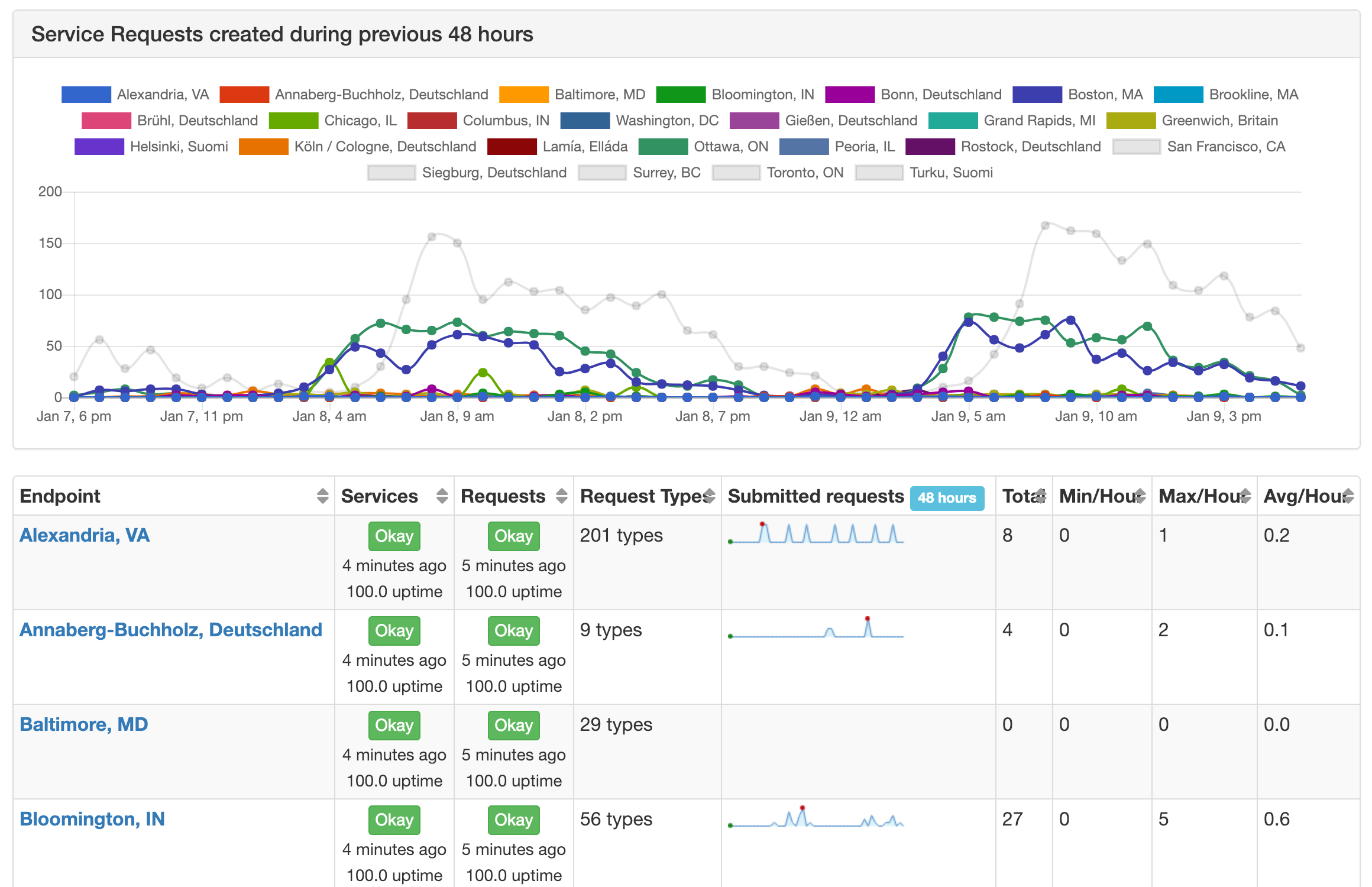
Open311 Status monitors and aggregates the status of dozens of Open311 API endpoints, providing benchmarks and comparative insights into:
- Upness: the API is currently available
- Uptime: the availability of the API over time
- Performance: how quickly the servers respond to API requests
- Comprehensiveness: how fully the API is implemented/adopted; e.g. the number of service types that can be submitted through the API
- Utilization: how much the 311 service being used; e.g. the number of service requests submitted
To add a new Open311 endpoint, add their API configuration to the config/cities.yml file. This should include:
slug: a unique key for the API endpoint.name: the human readable name of the city or location.endpoint: the complete URL of the Open311 api endpoint, ending in a/, withoutservices.xmlorrequests.xml.jurisdiction(optional): the?jurisdiction_id=parameter, if required.format(optional):xmlorjson; defaults toxml/headers(optional): custom API headers necessary for the API.
Example:
bruhl:
  name: 'Brühl, Deutschland'
  endpoint: 'https://www.achtet-auf-bruehl.de/georeport/v2/'
jurisdiction: 'bruehl.de'Open311 Status is a static website. A Rails app makes the pages. Parklife saves the pages as HTML files. The app does not use a database.
The repository has three branches:
| Branch | Contents | History |
|---|---|---|
main |
The code. | Normal. |
data |
The data, as YAML files. | One commit each hour. |
gh-pages |
The built website. GitHub Pages serves this branch. | Only the latest build. Each publish replaces the branch. |
The data branch has one directory for each city:
cities/<slug>/service_definitions.yml
cities/<slug>/statuses.yml
cities/<slug>/requests.yml
The app removes records that are older than the retention time.
The app reads the data from the ./data directory. To use a different directory, set DATA_PATH.
The Fetch and Publish workflow runs each hour. It does these steps:
- It checks out the
databranch into./data. - It does an incremental fetch from each Open311 endpoint (
bin/rails data:fetch). It gets only the requests made after the newest stored request. Endpoints return a limited number of requests in each response, and the requests are not necessarily in date order. If a response is a full page, some requests can be missing. Then it gets the same time again in smaller date ranges, until no response is a full page. Each request is recorded as a status check. The service requests check always sends astart_date, so it does not test requests without dates (see #11). - It commits the data and pushes the
databranch. - It builds the website into
./build(bin/parklife build). This also builds the search index. - It publishes
./buildto thegh-pagesbranch.
A push to main does only steps 1, 4 and 5. It does not get new data. You can also start the workflow manually. Then you can select "fetch" and "backfill".
The data files keep:
- Status checks for 6 months (
City::STATUS_RETENTION). - Service requests for 7 days (
City::SERVICE_REQUEST_RETENTION).
Older data stays in the history of the data branch.
Each service request page shows nearby requests. These are the 5 closest other requests in the same city, not more than 500 m away (City::NEARBY_LIMIT and City::NEARBY_RADIUS_METERS). The app uses the optional lat and long fields. If a request does not have them, the page does not show nearby requests. To make the build fast, the app puts the requests of each city into a grid of 0.01 degree cells one time. Each lookup examines only the cells near the request.
bin/datagets the latest commit of thedatabranch. It puts the files in./dataas a git worktree. It gets only the latest commit, not the full history. Run it again to update the data.bin/setupandbin/updaterun it for you. It works in each git worktree of the app.bin/rails data:fetchgets new data from each endpoint into./data. To get data for some cities only, setSLUGS. Example:SLUGS=chicago,koln.bin/rails data:backfillgets all service requests for the last 7 days. It uses small date ranges, because some endpoints return a limited number of requests in each response. To do this in GitHub Actions, start "Fetch and Publish" manually and select "backfill".
The search page (/search) finds service requests. It uses Pagefind. Pagefind runs in the browser, so the static website does not need a server for search.
config/pagefind.rb makes the search index. It adds one record for each service request in the data files: the service name, description, address, status and city. It writes the index into public/pagefind. Git ignores this directory. If the data files did not change, it does not make the index again.
bin/parklife buildmakes the index and copies it intobuild/pagefind.- The system tests make an index from the test data.
- To make the index for
bin/rails server, runbin/rails runner 'require "./config/pagefind"; Pagefind.build'.
Pagefind is an npm package, so you must install Node.js. Use the version in .node-version. bin/setup installs the npm packages (npm ci).
Vite builds the JavaScript, with Vite Ruby (vite_rails). The npm packages (Stimulus, Bootstrap, Chart.js) are in package.json.
- The entrypoint is
app/javascript/entrypoints/application.js. The Stimulus controllers are inapp/javascript/controllers. Vite finds and registers each*_controller.jsfile. - Development:
bin/devstarts the Rails server and the Vite dev server (bin/vite dev). The Vite dev server reloads the page or controller when a file changes. If the Vite dev server does not run, Rails builds the JavaScript when it changes (autoBuild). - Tests: the tests build the JavaScript one time before they start (
spec/support/vite.rb). - Static website:
bin/parklife buildrunsassets:precompile, which also runsvite build. The bundle goes intobuild/vite. Sprockets still builds the CSS intobuild/assets.
To add a package, run npm install <package>.
No database is required. You must install Node.js for the JavaScript and the search index.
-
Install the dependencies and get the data:
bin/setup -
Run the tests:
bin/rspec. To test the built website in a browser, build it from fake data, then run the browser tests:DATA_PATH=tmp/fake-data bin/rails data:fake DATA_PATH=tmp/fake-data bin/parklife build bin/check-build bin/rspec --tag build
-
Run the server:
bin/dev, and visithttp://localhost:3000 -
Build the static website:
bin/parklife build. The output goes into./build.