


c3pm is a Nix-backed package manager and reproducible build environment for the C3 programming language and c3c compiler.
It reads the standard C3 dependency graph and adds vendor.c3pm metadata for sources, toolchains, and native packages. c3pm uses those inputs to create a reproducible development and build environment.
Warning
Release builds target Linux x86_64/ARM64 and macOS ARM64. macOS Intel is source-build only; on Windows, use WSL2.
Note
Default nixpkgs target: nixpkgs-unstable (nixpkgs 26.05 on macOS Intel). Default C3 target: C3 0.8.4.
Linux release binaries are standalone static executables. Running c3pm itself does not require C3 or a compatible system libc on Linux. Nix remains a separate backend: c3pm can use your existing installation, or manage nix-portable on Linux. macOS uses system Nix; portable Nix and c3pm bundle are Linux-only.
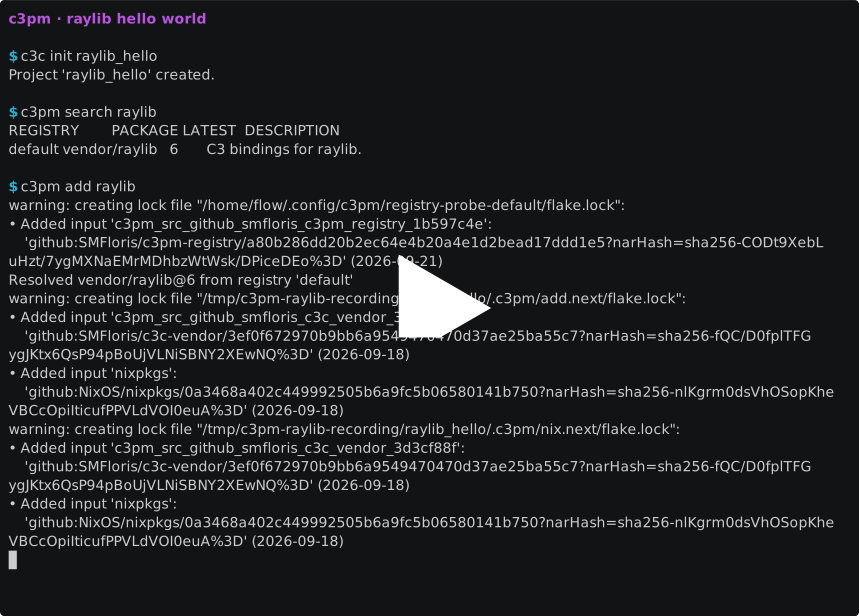
The demo demonstrates how c3pm:
- searches the default package registry;
- resolves the unique package name
raylibtovendor/raylib; - installs its pinned C3 and native dependencies;
- builds a raylib application inside the reproducible development shell.
Run the installer for the latest release:
curl --fail --location https://c3pm.dev/install.sh | sh -With c3c available on your PATH, create a new C3 project:
c3c init raylib_hello
cd raylib_hello
Search the registry and add raylib by its unique package name:
c3pm search raylib
c3pm add raylib
Replace src/main.c3 with:
module raylib_hello;

import raylib6::rl;

fn void main()
{
	rl::init_window(800, 450, "raylib hello");
	defer rl::close_window();
	rl::set_target_fps(60);

	while (!rl::window_should_close())
	{
		rl::begin_drawing();
		rl::clear_background(rl::RAYWHITE);
		rl::draw_text("Hello, raylib!", 290, 210, 32, rl::DARKBLUE);
		rl::end_drawing();
	}
}
Build and run it inside the resolved development environment:
c3pm shell -- c3c runThe application opens an 800×450 window displaying “Hello, raylib!”. Press Escape or close the window to exit.
With the portable Nix backend, the first Nix operation initializes nix-portable and may fetch the inputs in .c3pm/nix/flake.lock. Later commands reuse that store and lock.
- Installation and Nix setup
- How c3pm works
- Search and add packages
- Package C3 libraries
- Manage registries
- Link native libraries and projects
- Configure toolchains
- Build and run
- Create portable bundles
- CLI reference
- Metadata reference
- Registry format reference
The SQLite todo application demonstrates C3 bindings, native dependencies, and a portable bundle. Follow the walkthrough.
Build on the machine that will run c3pm. Start by cloning the repository:
git clone https://github.com/SMFloris/c3pm.git
cd c3pm
The commands below use C3 0.8.4. Linux release-style builds also need musl-gcc (provided by musl-tools on Debian/Ubuntu). Nix is needed for c3pm's project commands; the macOS builds use system Nix.
Install C3 0.8.4 and musl-gcc, then build and test the static executable:
c3c test
c3c --linux-libc=musl -z -static --cc musl-gcc -O2 build c3pm
./build/c3pm --versionInstall Nix and musl-gcc. The same pinned Nix compiler recipe used by CI provides C3 0.8.4:
c3c_path="$(C3_VERSION=0.8.4 NIXPKGS_REF=github:NixOS/nixpkgs/a32edd7654519351e48e80372a928df336394670 sh scripts/ci-install-c3c.sh linux-aarch64)"
"$c3c_path/bin/c3c" test
"$c3c_path/bin/c3c" --linux-libc=musl -z -static --cc musl-gcc -O2 build c3pm
./build/c3pm --versionInstall system Nix, then use the pinned C3 0.8.4 build:
c3c_path="$(C3_VERSION=0.8.4 NIXPKGS_REF=github:NixOS/nixpkgs/a32edd7654519351e48e80372a928df336394670 sh scripts/ci-install-c3c.sh macos-aarch64)"
"$c3c_path/bin/c3c" test
"$c3c_path/bin/c3c" -O2 build c3pm
./build/c3pm --version
./build/c3pm toolchain nix use systemInstall system Nix. This builds C3 0.8.4 against the pinned nixpkgs 26.05 revision for Intel Macs, so the first build can take a while. macOS Intel is not run in CI and is not included in automated release assets:
c3c_path="$(C3_VERSION=0.8.4 sh scripts/ci-install-c3c.sh macos-x86_64)"
"$c3c_path/bin/c3c" test
"$c3c_path/bin/c3c" -O2 build c3pm
./build/c3pm --version
./build/c3pm toolchain nix use system
For a development build rather than a static Linux release-style executable, c3c build is sufficient. See Build c3pm from source for more on testing and previewing the docs.
See Build c3pm from source for building, testing, and previewing the documentation.
MIT. See LICENSE.
Run project commands from the directory containing project.json or any directory below it. registry, search, show, and toolchain nix also work outside a project. See the full CLI reference for option details.
c3pm search [QUERY...] [--registry NAME] [--tag TAG]
c3pm dep add SOURCE|[NAMESPACE/]NAME[@VERSION] [--rev REF] [--sha256 HASH]
             [--subdir PATH] [--name NAME] [--for-target TARGET]
c3pm dep update [NAMESPACE/]NAME[@VERSION]
c3pm dep update NAME --rev REF|--sha256 HASH
c3pm dep remove NAME [--for-target TARGET]
c3pm dep show [NAMESPACE/]NAME
c3pm dep list [--for-target TARGET]
c3pm list [--for-target TARGET]
c3pm list shows both dependencies and links. c3pm add, c3pm remove, and c3pm show are aliases for c3pm dep add, c3pm dep remove, and c3pm dep show, respectively; they accept the same arguments and options.
c3pm link add NAME [--source SOURCE] [--rev REF] [--sha256 HASH]
              [--subdir PATH] [--c3c-target none|TARGET]
              [--nix-package PACKAGE] [--runtime|--passthrough]
              [--for-target TARGET]
c3pm link remove NAME [--for-target TARGET]
c3pm link list [--for-target TARGET]

c3pm registry add NAME SOURCE [--rev REF] [--sha256 HASH] [--subdir PATH]
c3pm registry remove NAME
c3pm registry update [NAME]
c3pm registry list
c3pm toolchain show
c3pm toolchain c3c set VERSION
c3pm toolchain c3c reset
c3pm toolchain nixpkgs set REF
c3pm toolchain nixpkgs update
c3pm toolchain nixpkgs reset
c3pm toolchain nix status
c3pm toolchain nix use system|portable|PATH
c3pm toolchain nix reset

c3pm install
c3pm shell [-- COMMAND...]
c3pm bundle [TARGET] [--output PATH]
c3pm --help | -h
c3pm --version | -V
Managed portable Nix and bundle are Linux-only.